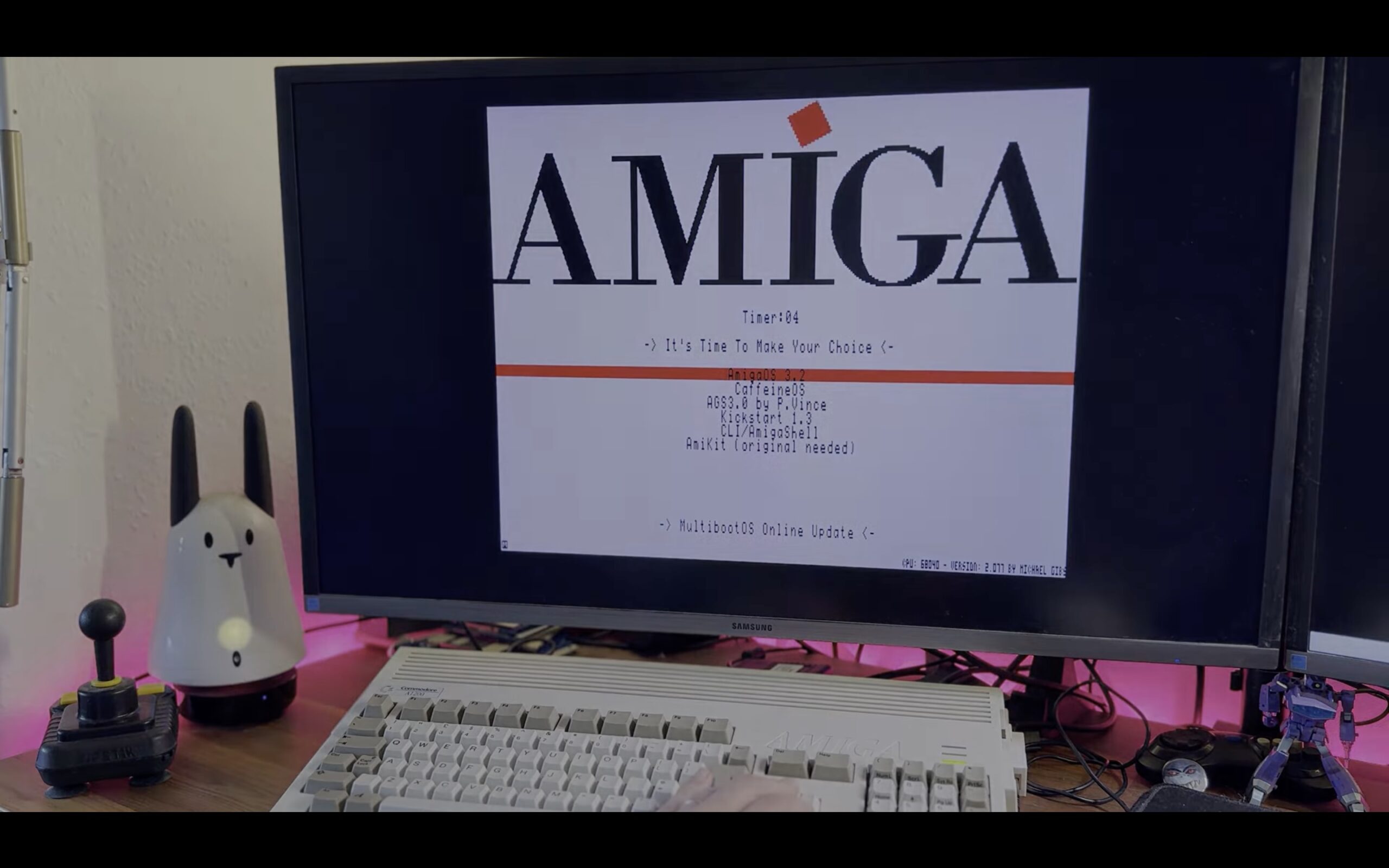
A new solution for fast equipped Amiga’s with PiStorm called MultiBootOS is changing how modern Amiga systems are used. This tool is designed by Davide and Steve primarily for PiStorm-equipped machines, which makes the Amiga feel complete for PiStorm Amiga users.
It is also important to point out that Unauthorized redistribution is strictly prohibited. MultibootOS is free don’t pay for it, donationware.
Multiple Amiga Enviroments with MultiBootOS
MultiBootOS allows users to run multiple Amiga environments from a single microSD card. This eliminates the need to constantly swap cards or reconfigure setups.
This means that systems like the Amiga 500, 600, 1200, and 2000 can now easily switch between different configurations such as gaming setups, Workbench environments, and customized distributions. With MultiBootOS, everything is available in one place, making the experience far more user-friendly than traditional setups.
PiStorm Amiga home computers reaching remarkable speeds
With modern accelerators like PiStorm and Vampire, Amiga machines from the 1985 to 1994 era are reaching speeds close to older modern computers. MultiBootOS takes advantage of this by offering features like RTG support, online updates, and flexible configurations for all within a single system.
The PiStorm speeds makes Amiga home computers much more ready for the future, thanks to the amazing PiStorm theme.
Registration process is required
Due to unauthorized redistribution by third parties, the developers have introduced a registration system which might be a bit tricky.
Yes, even the video makes people send questions to Amitopia about how to install it. So, I’ve decided to make Guide for it aswell. Both in here and as a separate guide for you to easy look up and read from the menu.
While this registration adds an extra step, it ensures that the project remains free and is distributed as intended by its creators. So, support them.
AmigaOS 3.2 installation process Update
You need the registration key for AmigaOS 3.2 if you want to install that. With the latest News that the digital version of AmigaOS 3.2 is available.
This means you don’t need any computer with CD-ROM anymore.
How to Register MultiBootOS (Step-by-Step Guide)
This Step-by-Step guide is written so that even beginners can follow it easily:
- – Prepare your system
a) Download the MultiBootOS image (128GB).
b) Write it to your microSD card using your Mac or PC.
c) Once done, insert the card into your PiStorm-equipped Amiga and power it on. - – Contact the developers
a) Join their official Discord or Facebook group.
b) Before you can download the image you need an userid first to get the torrent link.
c) Send a message asking for a UserID for MultiBootOS. - – Get online
a) Make sure your Amiga has internet access.
b) You will also need a PC or Mac with internet access to contact the developers. - – Receive your UserID
a) You will get a personal UserID.
b) Keep it safe and do not share it with others. - – Activate MultiBootOS
Enter your UserID into the system and follow the on-screen instructions. - – Done!
You can now enjoy multiple Amiga systems from one setup.
PiStorm Amiga Hardware Support
- WiFi Support
- Ethernet support (CM4 and Raspberry Pi 4 users)
Conclusion and Why Registration Is Required
The registration system exists because someone attempted to redistribute and sell MultiBootOS without permission. To protect the project and keep it freely available, the developers introduced this simple activation process.
MultiBootOS is a major step forward for modern Amiga systems. It simplifies setup, removes the need for multiple SD cards, and makes the platform more accessible to both newcomers and experienced users. While the registration step may feel unusual, it helps protect a valuable community-driven project.
For anyone using PiStorm or similar accelerators, MultiBootOS is one of the most practical upgrades available today.
“MultiBootOS makes using Amiga in 2026 easier than ever.”