
Huge USB, WiFi and Ethernet boost for Warp
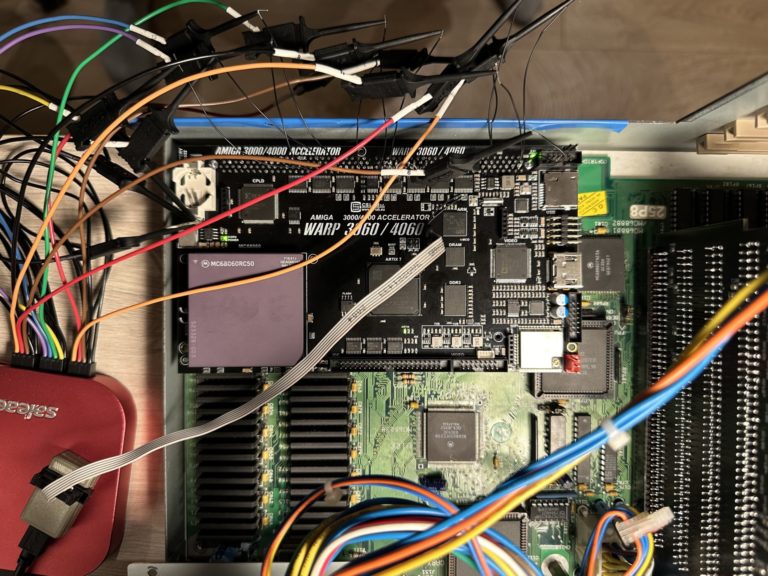
CS-Lab has just released the remarkable Warp Firmware Pack v2.296-beta and this is one of the biggest quality-of-life updates in a long time. It's still marked beta for testers and experienced users, but the improvements are worth it!
Note: On first boot, saved settings are reset — CPU clock, Kickstart slot, mouse coefficient, WiFi SSID/password, fan settings, RGB LED and audio volumes. So write down your settings before flashing!
Much better USB Support
The star of this release is USB pad support. Finally this is has been a priority!
Any USB gamepad or joystick now works. The firmware reads each pad's own report layout, so the old list of supported pads is gone. Hat-switch sticks and signed or 16-bit axes work too. Pads that were already tuned keep their layout, and any new pad gets a sensible default: button 1 fire, button 2 auto-fire, button 3 second fire.
Even the A500 Mini controller (1C59:0026) is now supported. For power users, you can now do custom mapping with WarpTool usbPadButtons=VID:PID:... — map fire, second fire, auto-fire, directions or nothing. Mappings survive power cycles and can be stored for up to two pad models. Use X to clear one. And WarpTool usbPadInfo shows every connected pad live — buttons as you press them, stick position and mapping in use. Perfect for testing at parties. Remarkable update for Warp Amiga users for sure!
Better Networking for Warp users!
Networking got lots of love too in this update. WarpTool WiFiScan now lists nearby networks with channel, signal level and security. WarpDiag Device → Network replaces the old WiFi box — you can scan, pick a network and join it, and see state of WiFi and USB Ethernet with MAC and IP. You can even scan for and join WiFi from the boot menu without Workbench. Signal level of the connected network is shown in WarpTool Diag and WarpDiag.
Bug also fixed: WiFi passphrases longer than 47 chars were cut short — now full 63 chars WPA allows works.
And finally speed: Faster USB Ethernet (ASIX) — downloads went from about 8 Mbps to about 28 Mbps thanks to improved USB flow control, no longer held to smallest burst size, deeper receive queue on boards with SDRAM.
Update via WarpTool and let CS-Lab know your pad model!
Most Important Improvements in v2.296-beta:
- Universal USB pad/joystick support — any HID gamepad now works, auto-detect report layout
- Hat-switch + signed / 16-bit axes support
- A500 Mini controller supported
- Custom button mapping via
usbPadButtons=VID:PID:...(persistent for 2 models) - Live pad debugger —
usbPadInfoshows buttons and stick live - WiFiScan — lists networks with channel, signal, security
- New WarpDiag Network UI — replaces old WiFi box, shows WiFi + USB Ethernet MAC/IP
- Boot menu WiFi join — scan and connect without Workbench
- WiFi signal level indicator in Diag
- Fix for long WiFi passwords — now supports full 63-char WPA passphrase
- USB Ethernet (ASIX) 3.5x faster — 8 Mbps → 28 Mbps download
- Improved USB flow control and burst size + deeper RX queue on SDRAM models
This is a must-have-update for all Warp users. Download it from their site.