Latest AmigaGPT and How To Set It Up Guide!
AmigaGPT Lands on Aminet 🤖➡️🦜
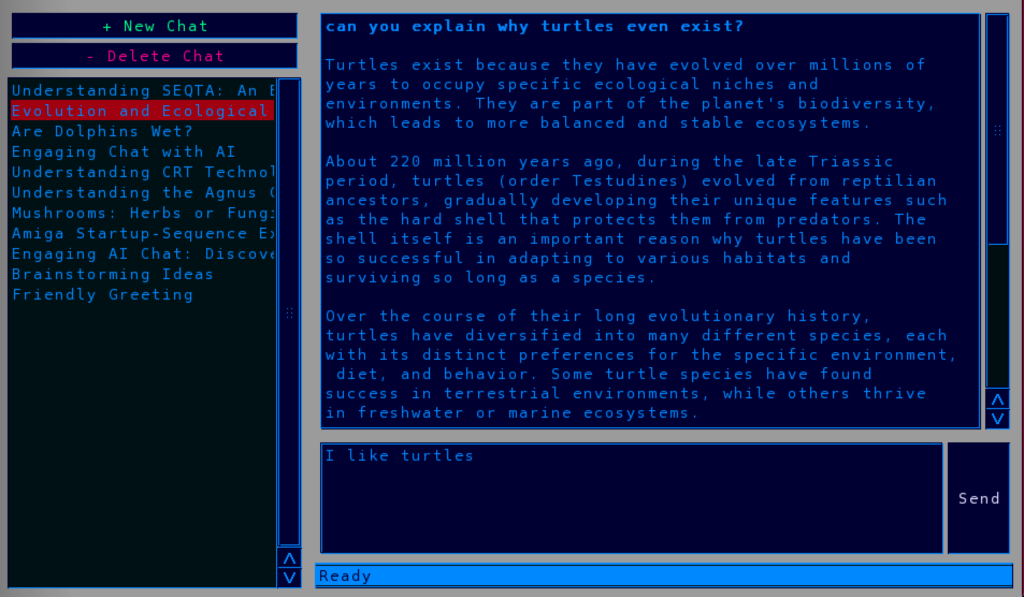
The Amiga is officially AI-ready! A new package called AmigaGPT just hit Aminet, bringing ChatGPT-style AI to your classic Amiga.
What’s new:
➡️ Talk to AI directly from Workbench
➡️ No browser needed — runs as a native Amiga app
➡️ Perfect for coding help, writing, retro dev questions, or just chatting
➡️ Uses your API key to connect to GPT models
It’s a huge step for the Amiga community in 2026. Imagine asking AI for ARexx help or game dev tips... on real hardware.
⬇️ Download AmigaGPT from Aminet
How to Install AmigaGPT on Your Amiga
Step by step guide to get AI running on Workbench 💛
What you need
- Amiga with TCP/IP stack: Miami, Genesis, or Roadshow
- API key from OpenAI or compatible provider
- AmigaGPT from Aminet
Installation Steps
- Download AmigaGPT
⬇️ Get AmigaGPT from Aminet - Unpack the archive
Copy the AmigaGPT folder toWork:Utilities/or wherever you keep tools. - Set up your API key
Open theAmigaGPT.cfgfile with a text editor.
Paste your API key afterAPIKEY=and save. - Check your internet
Make sure your Amiga is online. Test with AWeb or OWB first. - Run AmigaGPT
Double-clickAmigaGPT. Type your question and press Return.
➡️ The AI will answer right in the window!
Tips
- ➡️ Use it for coding: "Write me an ARexx script to rename files"
- ➡️ Use it for writing: "Help me write an Amitopia news post"
- ➡️ Keep your API key safe. Don’t share the cfg file.
That’s it! You now have AI on your Amiga in 2026 🔥