
AmiDrop -A must Tool to have for any Amiga user on-line!
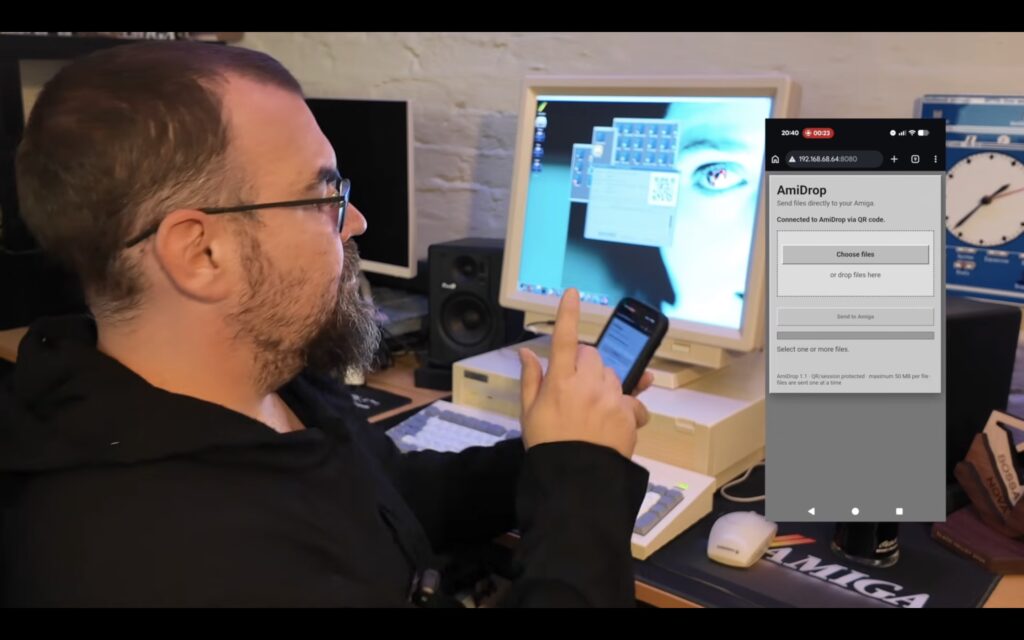
AmiDrop is a lightweight native file receiver for AmigaOS 3.0+ Think "AirDrop, but for Amiga"...
Latest version is 1.1, updated 2026-08-31 is made by Andreas "Andiweli" Stuermer and it’s MIT licensed. Source is on GitHub too.
Including native AmigaOS 3.2 version, AmiDrop_MUI is also out! This MUI version of AmiDrop 1.1 got the same file transfer engine, same features, with the window built on Magic User Interface. But now it even works on AmigaOS 3.0 with MUI 3.8 or later installed.
Cool AmiDrop features
- Browser-based so it works from smartphone, tablet, PC, Mac, anything with wifi
- Direct streaming to disk with safe temp files
- Configurable folder + file size limit 512 KB to 1 GB
- GadTools interface optimized for classic Amiga screen modes
- Transfer history + progress display
- Auto IPv4 detection
How does AmiDrop work?
Proteque-CBN shows how the AmigaOS 3.2 version works. But if you want it to get working fast, check the steps by steps guide below:
- Start AmiDrop on the Amiga
- It shows a QR code for phones/tablets or a 6-digit pairing code for PCs
- Open that in any web browser on your phone, PC, or Mac
- Pick a file and upload straight to the configured receive folder
- No companion app needed on the sending device
Requirements
- AmigaOS 3.0 or newer (MUI version)
- TCP/IP stack with
bsdsocket.library- works with Roadshow, AmiTCP, Miami - Amiga and sender on the same network
This is such a quality-of-life upgrade compared to null modem cables or CF card readers.
Downloads for AmiDrop
- Get AmiDrop for AmigaOS 3.2 Here
- Get AmiDrop for AmigaOS 3.0 with MUI installed Here
- (Get MUI38 Here)
Perfect news piece for the Amiga community! This news item is written by Michal Bergseth. Not Ai!